Stick Wars Events: Halloween Rewards and Candy Guide
Explore Stick Wars events with Halloween dates, Candy collection tips, pass rewards, limited stickmen, and codes to help plan your next Roblox session.
Jump to
Which Stick Wars Events Are Running in October 2026?
Stick Wars events bring limited fighters, seasonal skins, and extra rewards into your regular arena sessions. As of October 25, the Halloween event is running from October 21 through November 2, 2026, giving you a limited window to collect Candy and explore its rewards. Start with Halloween when planning your Stick Wars events checklist: its exclusive stickmen and skins give you something specific to chase between PvP matches.
The update adds four spooky fighters, a Halloween Pass, a Spooky Crate, and a nighttime lobby. Candy ties the event together, with several ways to earn it and a dedicated shop where you can spend it.
| Halloween feature | Event details |
|---|---|
| Event dates | October 21–November 2, 2026 |
| New stickmen | Witch, Skeleton, Werewolf, and Phantom |
| Halloween Pass | 20 reward tiers, including new Halloween skins |
| Event currency | Candy |
| Candy activities | Matches, quests, Server Brawl, and lobby collection |
| Other additions | Spooky Crate and a spooky nighttime lobby |
Play Stick Wars on Roblox to get into the event. The experience uses stickman auto-battle PvP, so Halloween adds seasonal collecting goals alongside the regular fights.
Keep November 2 in mind when choosing your next goal. Event-only characters and skins deserve a closer look before you spend your Candy on other shop options.
How to Earn Candy During the Halloween Event
Candy is the limited-time currency used for Halloween shopping. You can collect it through matches, quests, the Server Brawl, and pickups around the lobby.
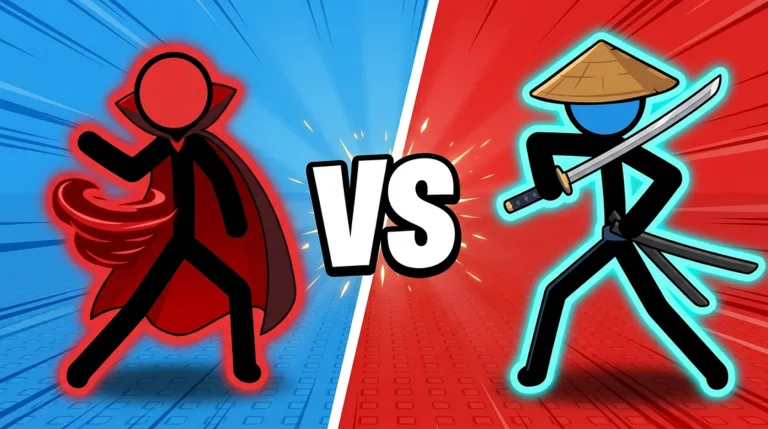 Image: Roblox / Stick Wars Official
That gives you several activities to include in a session. Check the Halloween Pass quests before jumping into matches, then look around the lobby whenever you return. Keep the event objectives in view so you can choose what to work on next.
| Candy source | What to do |
|---|---|
| Matches | Play matches to earn event Candy |
| Halloween Pass quests | Complete the pass’s quests for Candy |
| Server Brawl | Participate in the Server Brawl |
| Lobby pickups | Collect Candy scattered around the lobby |
Check quests before you queue
Read the current Halloween Pass quests before settling into a run of battles. Use their requirements to decide what to tackle during that session.
Keep your immediate goal manageable. Choose a quest to work toward, play, then check your progress before moving on. This gives your session a clear purpose without turning every match into a shopping calculation.
Include lobby collection in your routine
Look for Candy around the lobby while you are there. Lobby pickups give you another collection activity to work into your time outside the arena.
Combine that with your other event goals: inspect the pass, collect visible Candy, and decide whether to play matches or join the Server Brawl. You have multiple ways to participate, so use the activities that fit what you want to do next.
Work toward a specific purchase
Visit the Candy Shop before committing to a long play session. Pick something you want, check its displayed cost, and use that as your collection target.
Stick Wars events are easier to plan around when you have a concrete reward in mind. A particular fighter or title gives you a clearer goal than collecting currency without checking what you want to buy.
Halloween Rewards: Stickmen, Skins, and Candy Shop Choices
The Halloween update introduces Witch, Skeleton, Werewolf, and Phantom. It also adds event-only skins, a 20-tier Halloween Pass, and the Spooky Crate.
Keep those additions in mind when browsing the event menus. A new character, a seasonal skin, and a currency bundle offer different kinds of rewards, so decide which one matters to your collection before spending.
| Reward or feature | What it includes |
|---|---|
| New Halloween fighters | Witch, Skeleton, Werewolf, and Phantom |
| Halloween Pass | 20 tiers of rewards and new Halloween skins |
| Candy Shop fighters | Exclusive stick figures |
| Candy Shop extras | Event titles, coin boosts, and special coin bundles |
| Spooky Crate | A new crate added with the Halloween update |
Put seasonal collection goals first
Inspect the exclusive stick figures and Halloween cosmetics before buying boosts or coin bundles. Pick the event rewards you care about, then consider the other shop items.
This is especially useful if collecting different fighters is your main reason to play. Stick Wars already revolves around expanding a roster through crates, and Halloween adds more characters to pursue.
Keep your goals specific:
- Choose the Halloween fighter you most want to collect.
- Look through the pass’s seasonal skin rewards.
- Check the event titles before spending on currency bundles.
- Review your remaining Candy after each purchase.
Keep the Halloween Pass separate from other passes
The Halloween Pass has 20 reward tiers. Stick Wars also has a separate Battle Pass game pass priced at 399 Robux, with a premium track containing 10 skins, five auras, titles, and other rewards.
Read the pass name carefully before making a purchase. Use the Halloween Pass to track the seasonal rewards described here, and inspect any paid offer on its own terms.
The game also has a Season 2: Awakening premium pass entry that is not for sale as of October 25. Keep your current event plans focused on Halloween and its stated dates.
Use Codes Alongside Stick Wars Events
Codes offer Coins and Gems that can support your regular roster building while you work on Halloween. Candy remains the currency to collect for the seasonal shop.
The following six codes were active as of October 22, 2026:
| Code | Coins | Gems |
|---|---|---|
1KLIKES | 1,000 | 50 |
RELEASE | 2,500 | 50 |
KASH | — | 75 |
DISCORD | — | 50 |
STICKWARS | — | 15 |
SEASON1 | 300 | 5 |
RELEASE gives the largest Coin reward in this set, while KASH gives the largest Gem reward. Together, the codes offer several opportunities to add resources before returning to the event.
To redeem a code:
- Launch Stick Wars in Roblox.
- Open the menu.
- Select Codes.
- Enter the code in the code field.
- Select Redeem.
Copy the spelling exactly. Use KASH for the Gems code and 1KLIKES for the likes milestone code.
Keep your currencies straight
Coins and Gems help with the game’s crate collecting, while Halloween Candy is spent in the Candy Shop. Check which currency an item uses before deciding what to earn next.
If your target is a Candy Shop fighter, return to the Halloween activities. If you want to expand your broader roster through crates, inspect your Coins and Gems.
For future Stick Wars events and code announcements, check the developer’s Stick Wars Official Roblox group and the Stick Wars Discord server. Read the current announcements before planning around a new seasonal reward.
Plan Your Sessions Around Event Goals
Give each session a clear Halloween objective. Start by inspecting the pass and shop, choose what you want to earn, and then play toward that target.
Stick Wars events sit alongside daily rewards, ranked seasons, and regular roster collecting. Keep those systems in perspective when deciding how to spend your time: the Halloween update has a stated end date, so put its limited rewards on your checklist now.
Use a short event routine
Work through this sequence when you log in:
- Check the Halloween Pass. Read the quests and look at the reward tiers.
- Inspect the Candy Shop. Choose your next purchase and check its cost.
- Collect lobby Candy. Pick up Candy you find around the lobby.
- Play matches or the Server Brawl. Use the event’s combat activities to collect more.
- Review your progress. Recheck your Candy and your next reward goal.
Keep the routine flexible. If you want a fighter, focus your shopping decisions on that character. If seasonal cosmetics interest you more, inspect the skins and titles before choosing your next objective.
Keep regular roster goals in view
Your battles can also contribute to longer-term achievements. Stick Wars has badges for winning matches, collecting different stickmen, and reaching other milestones.
For example, True Rival requires 50 wins against real players, while Collector requires owning 25 different stickmen. Use those as additional goals when they match what you already enjoy doing.
Avoid choosing Halloween fighters solely because they are new. Inspect their in-game details and decide which ones you want in your collection. Rarity and seasonal availability give you collecting goals; your own preferences should guide which characters you pursue.
Check the calendar before spending
Review your event goals again as November 2 approaches. Decide whether your remaining Candy should go toward an exclusive stick figure, an event title, a boost, or a coin bundle.
Spend deliberately rather than buying the first item you can afford. Check the options, choose the reward you want most, and keep that target visible during your remaining Halloween sessions.
For upcoming Stick Wars events, repeat the same preparation: read the dates, identify the event currency, inspect the reward menus, and choose a goal before settling into matches.
FAQ
When does the Stick Wars Halloween event end?
The 2026 Halloween event runs from October 21 through November 2. Plan your collecting and shopping around that window, especially if you want the event-only stickmen or skins.
How do you get Candy in Stick Wars events?
During Halloween, you can earn Candy from matches, quests, the Server Brawl, and pickups around the lobby. Check the Halloween Pass quests before playing, and collect lobby Candy while moving between activities.
Which new stickmen are in the Halloween update?
The update adds Witch, Skeleton, Werewolf, and Phantom. Other seasonal additions include the Spooky Crate, a nighttime lobby, and a Halloween Pass with 20 tiers of rewards.
What can you buy with Halloween Candy?
The Candy Shop offers exclusive stick figures, event titles, coin boosts, and special coin bundles. Inspect the limited collection rewards before spending, then choose the purchase that fits your Halloween goal.
Continue exploring
Stick Wars Characters: Roster, Skills & Unlock Guide
Explore Stick Wars characters, starter fighters, rare crate pulls, and Halloween additions. Learn their combat styles and build out your Roblox roster.
Stick Wars Tier List: Strong Fighters and Matchup Tips
Use this Stick Wars tier list to compare Ballerina, Robot, Archer, and more, understand key matchups, and plan your Roblox roster for the Halloween update.
Join the community
Official channels for news, updates and player help: