Stick Wars Codes (October 2026): Free Coins and Gems
Get Stick Wars codes for free Coins and Gems in Roblox. Find all six October 2026 codes, their rewards, redemption steps, and tips for Halloween Candy.
Last checked
Active codes (October 2026) 1
RELEASE2,500 coins + 50 gems
Jump to
Stick Wars Codes for October 2026
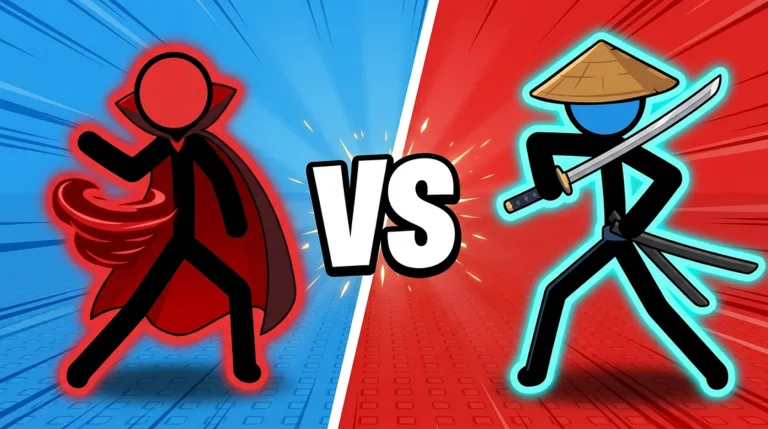
Grab free currency before you queue for another stickman showdown. Stick Wars codes give you Coins and Gems for building your collection, with RELEASE alone worth 2,500 Coins and 50 Gems. The October lineup below puts six Stick Wars codes in one place, along with their rewards and the menu steps to redeem them.
Stick Wars is a Roblox auto-battle PvP game where you collect stickmen and send them into fights against other players. Crates help expand your roster, so extra currency gives you more opportunities to find another fighter without buying a currency bundle.
October Codes and Rewards
Enter the codes exactly as shown in this table. Copy only the code itself, leaving out any surrounding spaces or punctuation.
| Code | Coins | Gems |
|---|---|---|
1KLIKES | 1,000 | 50 |
RELEASE | 2,500 | 50 |
KASH | — | 75 |
DISCORD | — | 50 |
STICKWARS | — | 15 |
SEASON1 | 300 | 5 |
The full list adds up to 3,800 Coins and 245 Gems. RELEASE contributes the largest Coin reward, while KASH gives the most Gems from an individual code in this lineup.
Start with those two if you want to collect the larger rewards before working through the remaining entries. Then enter the other codes individually so you can keep track of what you have submitted.
Watch the spelling of KASH in particular: it starts with a K. Likewise, 1KLIKES is one continuous string, with no space between the milestone number and LIKES.
These Stick Wars codes are for the Roblox experience developed by Stick Wars Official. Open Stick Wars on Roblox to reach the correct game.
How to Redeem Stick Wars Codes
You redeem codes inside the game through its menu. You do not need to enter them on the Roblox website or purchase a game pass to follow the redemption steps.
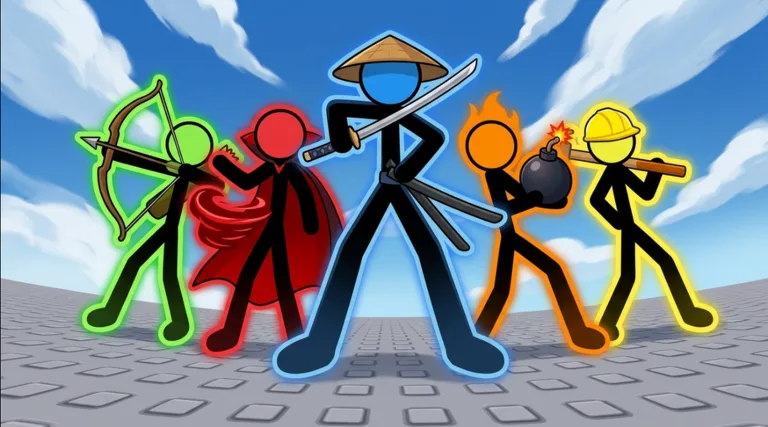 Image: Roblox / Stick Wars Official
| Step | What to do |
|---|---|
| Launch the game | Open Stick Wars in Roblox. |
| Open the menu | Click the menu button inside the experience. |
| Select Codes | Choose the Codes button. |
| Enter your code | Paste one entry into the code text box. |
| Submit it | Click Redeem, then repeat for the remaining entries. |
Keep the code table nearby while you work through the list. Copying each entry directly helps avoid confusing letters, missing characters, or adding spaces.
For example, paste RELEASE into the entry field and submit it. Its reward is 2,500 Coins and 50 Gems. Then replace the text with your next code rather than pasting several codes into the same field.
Keep Your Entries Clean
Code menus need the actual redemption string, so leave out extra text:
- Enter
1KLIKES, without adding a space. - Enter
KASH, rather than changing its spelling to CASH. - Leave out quotation marks and Markdown backticks.
- Remove spaces before or after a copied code.
- Submit each entry separately.
A small formatting mistake can turn a quick reward claim into unnecessary troubleshooting. If you copy from the table, check the entry field before pressing Redeem.
After submitting a code, read the game's response before moving on. That keeps you from losing your place in the list or repeatedly entering the same string while trying to figure out which reward you were collecting.
Why Your Stick Wars Code Might Not Work
When a code fails, check the text before changing anything else. A missing character or extra space is easier to fix than a code that has expired.
Check Spelling and Formatting
Compare your entry directly with the table above. Match the capitalization shown, remove surrounding punctuation, and make sure your device has not inserted a space.
Pay particular attention to the short entries. SEASON1 uses the number 1 at the end, while 1KLIKES starts with it. Copying the exact string avoids having to distinguish similar-looking characters yourself.
If you typed a code manually, clear the field and paste it instead. Retyping the same mistaken spelling will only repeat the problem.
Rejoin After an Update
If the spelling matches and the reward remains unavailable, rejoin the game after an update to refresh your session before another attempt.
Stick Wars was updated on October 24, 2026. When returning after an update, use a refreshed session before working through your remaining codes.
Keep the retry simple: rejoin, open the menu, select Codes, and submit the exact entry again. Repeatedly changing the spelling makes it harder to identify the original problem.
Check for Expiration
Codes can expire. If an entry is no longer accepted after you have checked its spelling and refreshed your session, check developer announcements for expiration or replacement codes.
Avoid inventing alternatives by adding punctuation, changing numbers, or substituting a similar word. Use the published code string.
Also check that you launched the correct experience. This page covers the Roblox stickman auto-battler from Stick Wars Official, with daily rewards, crates, and ranked seasons.
Using Your Free Coins and Gems
Stick Wars codes give you extra currency for crates and collecting fighters. Redeeming the full lineup is useful, but opening a crate and choosing a fighter for a match are separate decisions.
The game includes Legendary and Mythic stickmen, and crates give you opportunities to expand your collection. Collecting 10 stickmen of the same rarity also lets you fuse them into an upgraded fighter.
Check your collection before opening more crates. Look at which rarity groups are approaching that fusion requirement, then keep track of what your next openings add. That gives you a concrete collection goal beyond hoping for a particular rare pull.
Separate Collection Goals From Match Goals
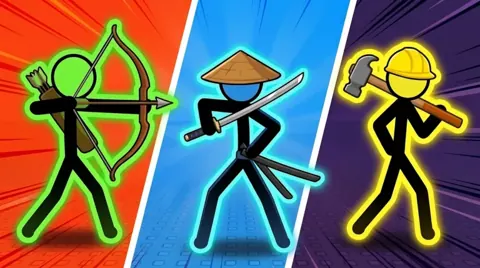
Try different fighters as your roster grows. Stick Wars includes characters such as Archer, Brawler, Builder, Blaze, Robot, and Time Keeper, with different attacks and abilities.
Avoid choosing a fighter solely because of its rarity. Compare how your available characters handle the opponents you face, and use more than one matchup before settling on a favorite.
You can also use the game's badges to set clear goals between code releases:
| Badge | Requirement |
|---|---|
| True Rival | Win 50 matches against real players. |
| Collector | Own 25 different stickmen. |
| Combo King | Land a 20-hit combo. |
| Veteran | Play 250 matches. |
| Maxed Out | Level a stickman to level 11. |
Pick a goal that matches what you want to do next. Work toward Collector if you enjoy expanding your roster, or pursue True Rival if you want a match-focused target.
The Maxed Out badge gives you another specific milestone: getting a stickman to level 11. Keep that requirement in mind when reviewing your collection, without assuming every new fighter needs to become your next project.
Keep Paid Bonuses Separate
Roblox Premium provides a 10% Coin bonus on everything you earn. VIP is a separate game pass that includes double Coins, a gold name and VIP tag, plus five free Gems per day.
Those bonuses are separate from the rewards printed beside each code. Use the table's listed amounts when adding up your redemption rewards.
The Lucky pass doubles the chance of Legendary and Mythic pulls from crates, while Fast Open skips the crate reel. Their functions differ: one changes rarity chances, and the other changes the opening presentation.
Review what a pass does before spending Robux. If your immediate goal is simply to claim the free currency, finish redeeming your Stick Wars codes first.
Finding More Codes and Halloween Rewards
Follow the developer's announcements through the Stick Wars Official Roblox group and the game's Discord server for new codes and update news. You can reach the experience through its Roblox page and check the developer's channels from there.
Check those announcements when an update or ranked season arrives. Keep code text separate from announcement headlines so you copy only the string intended for the redemption field.
Stick Wars also has daily rewards. Claim those alongside your codes rather than making code releases your only reason to check the game's reward menus.
Collect Candy During the Halloween Event
The October Halloween event adds Candy, a limited-time currency with its own activities and shop. Earn it by completing quests in the Halloween Pass and collecting Candy scattered around the lobby.
| Halloween feature | What you can do |
|---|---|
| Halloween Pass | Complete quests to earn Candy. |
| Lobby Candy | Collect Candy scattered around the lobby. |
| Candy Shop | Spend Candy on exclusive stick figures, event titles, coin boosts, and special coin bundles. |
Check the Halloween Pass for quests, then collect lobby Candy while you are there. Visit the Candy Shop to compare its offerings before choosing what to buy.
Keep Candy separate from your code rewards when planning purchases. The six listed codes award Coins and Gems, while the Halloween activities provide the event currency.
If an event stick figure catches your attention, check its Candy Shop cost before spending on another item. That lets you choose between a collectible, a title, a boost, or a coin bundle with your intended purchase in mind.
Between Stick Wars codes, daily rewards, and Halloween activities, you have several reward systems to check. Make a short routine: redeem any new codes, collect your daily reward, review event quests, and then head back into matches.
FAQ
What are the October 2026 Stick Wars codes?
The October lineup includes 1KLIKES, RELEASE, KASH, DISCORD, STICKWARS, and SEASON1. Together, their listed rewards total 3,800 Coins and 245 Gems. Enter each code separately through the in-game Codes menu.
Which code gives the most Coins or Gems?
RELEASE gives the most Coins in this lineup: 2,500 Coins, plus 50 Gems. For Gems alone, KASH has the largest individual reward at 75 Gems. Redeem both, then work through the remaining codes.
Where do I enter codes in Stick Wars?
Launch the Roblox experience, open its menu, and select Codes. Paste a code into the entry field and click Redeem. Match the spelling shown in the table and remove any spaces or quotation marks around the entry.
How do I get Halloween Candy?
Complete quests in the Halloween Pass and collect Candy scattered around the lobby. Spend it in the Candy Shop on exclusive stick figures, event titles, coin boosts, and special coin bundles. The listed redemption codes award Coins and Gems.
Continue exploring
Stick Wars Tier List: Strong Fighters and Matchup Tips
Use this Stick Wars tier list to compare Ballerina, Robot, Archer, and more, understand key matchups, and plan your Roblox roster for the Halloween update.
Stick Wars Events: Halloween Rewards and Candy Guide
Explore Stick Wars events with Halloween dates, Candy collection tips, pass rewards, limited stickmen, and codes to help plan your next Roblox session.
Join the community
Official channels for news, updates and player help: