Stick Wars Crates: Rewards, Codes, and Opening Tips
Explore Stick Wars crates, free currency codes, Lucky and Fast Open passes, fusion basics, and the Halloween Spooky Crate before spending your next gems.
Jump to
What Do Stick Wars Crates Give You?
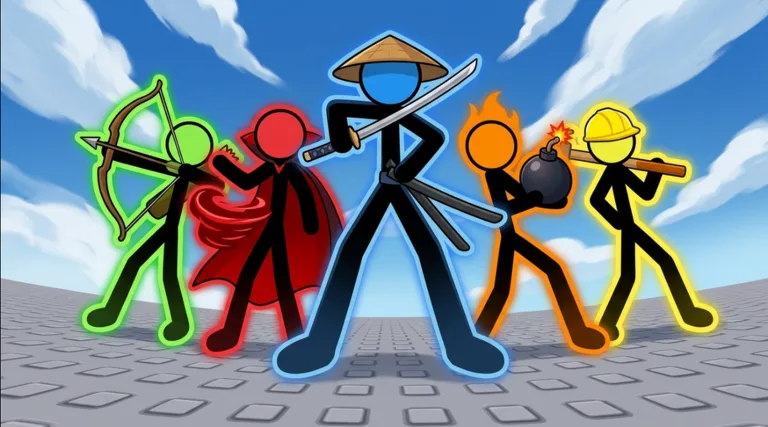
Your next crate can put a completely different fighter in your corner. Stick Wars crates expand your roster for Roblox’s stickman auto-battle PvP, giving you more characters to bring into arena matchups. Understanding Stick Wars crates helps you put free currency, duplicate fighters, and optional purchases toward a collection you actually want to use.
The core loop is straightforward: collect Coins and Gems, open crates, recruit stickmen, and take them into battles against other players. Crate rewards include fighters across different rarities, including Legendary and Mythic characters. Collecting enough fighters of the same rarity also opens up fusion, adding another use for your growing roster.
The October 2026 game includes Basic and Super crates, plus a Spooky Crate introduced with the Halloween event.
| Crate | Details |
|---|---|
| Basic | Openings can award Quake, a Legendary stickman. |
| Super | Openings include fighters such as Fisherman and Tide. |
| Spooky Crate | Introduced with the Halloween event running October 21–November 2, 2026. |
Start with a specific goal before spending: expand your selection, chase a character you like, or collect enough fighters for fusion. That gives each opening a purpose beyond watching the reward animation.
Keep an eye on your collection after opening Stick Wars crates. A new fighter gives you another combat option, while additional fighters of an existing rarity can contribute toward the fusion requirement. Both outcomes deserve a look before you return to the shop.
If you’re jumping in now, play Stick Wars on Roblox and check the crate selection inside the experience.
Use Free Codes to Fund Your Openings
Redeem the available currency codes before buying more currency. Coins and Gems help fund crate purchases, and the October 22, 2026 code lineup includes rewards for both.
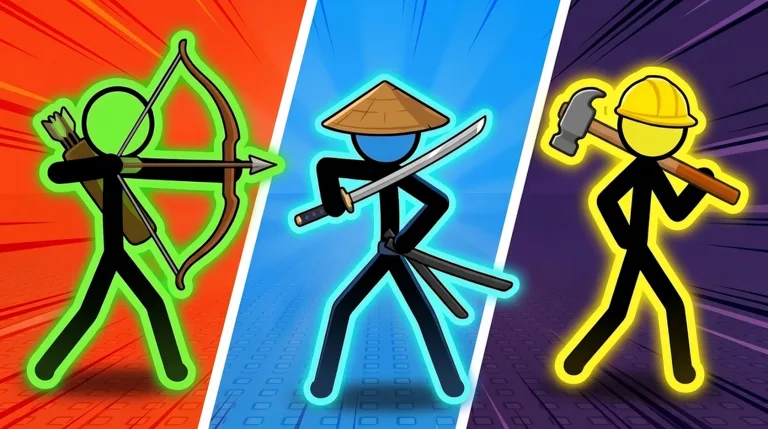 Image: Roblox / Stick Wars Official
The largest Coin reward in this lineup comes from RELEASE, which grants 2,500 Coins and 50 Gems. KASH supplies 75 Gems, while 1KLIKES adds another 1,000 Coins and 50 Gems.
| Code | Coins | Gems |
|---|---|---|
1KLIKES | 1,000 | 50 |
RELEASE | 2,500 | 50 |
KASH | — | 75 |
DISCORD | — | 50 |
STICKWARS | — | 15 |
SEASON1 | 300 | 5 |
Together, those listed rewards total 3,800 Coins and 245 Gems. Claiming the full lineup gives you more currency to put toward Stick Wars crates before considering a Robux purchase.
How to Redeem the Codes
- Launch Stick Wars in Roblox.
- Open the menu.
- Select Codes.
- Enter a code into the code text box.
- Click Redeem.
Copy each code exactly. The reward code is 1KLIKES, with the numeral at the beginning, and KASH starts with a K. Those small spelling details matter when you’re entering several codes in a row.
Work through the table one code at a time, then check your currency balance before opening crates. That keeps your spending decision tied to the rewards you’ve actually claimed.
For future code announcements, check the developer’s Discord and the Stick Wars Official Roblox group. Daily rewards and ranked seasons are also part of the game, so include those in your regular check-in alongside the codes menu.
Build a Roster Around Abilities and Fusion
Opening a rare fighter is exciting, but your collection becomes more useful when you understand what each character does. Stick Wars includes ranged attackers, close-range fighters, and characters with abilities that change how a matchup unfolds.
Among the higher-rarity fighters, Robot uses flight and rockets, Cameraman can stun opponents with a photograph, and Time Keeper uses slowing abilities. Those are distinct tools to explore when you take a new unlock into PvP.
| Fighter | Rarity | Combat feature |
|---|---|---|
| Quake | Legendary | Available among Basic crate rewards |
| Cameraman | Mythic | Can stun an opponent with a photograph |
| Robot | Mythic | Uses flight and rocket attacks |
| Time Keeper | Mythic | Uses time-based slowing abilities |
Try new recruits across multiple matches before settling on your favorites. Watch how their attacks connect, how they close distance, and whether their abilities help against the opponent in front of them.
Robot’s flight and rockets are worth watching closely against melee opponents. With Cameraman, pay attention to the stun and the damage that follows it. With Time Keeper, watch how slowing affects the exchange. These checks give you something concrete to evaluate beyond a character’s rarity color.
Put Duplicate Rarities Toward Fusion
Fusion requires 10 stickmen of the same rarity to create an upgraded fighter. The requirement centers on rarity, so review that part of your collection when you’re checking progress toward a fusion.
Count your eligible fighters before planning another round of openings. Keep your fusion goal in mind alongside the characters you still want to recruit, and review the roster again after a batch.
This gives Stick Wars crates two connected roles: expanding your available fighters and supplying the same-rarity collection needed for upgrades. Track both as you play, especially when an opening adds another fighter to a rarity you’ve already been collecting.
The collection badges provide additional milestones. Collector requires 25 different stickmen, while Master Collector requires 35. Use those targets to follow the breadth of your roster alongside your fusion progress.
Understand Lucky, Fast Open, and Currency Perks
Several paid perks affect the crate routine, but each serves a different purpose. Decide which feature you want before spending Robux: better high-rarity odds, faster openings, or increased Coin earnings.
As of October 25, 2026, the relevant passes have the following prices and benefits:
| Pass | Price | Benefits |
|---|---|---|
| Lucky | 349 Robux | Doubles the chance of Legendary and Mythic rewards from crates |
| Fast Open | 49 Robux | Skips the crate reel |
| VIP | 199 Robux | Doubles Coins earned, adds a gold name and VIP tag, and grants 5 free Gems daily |
Lucky is the pass tied directly to Legendary and Mythic crate chances. Consider it if chasing those rarities is your main reason for opening crates, and keep the purchase within your spending budget.
Fast Open changes the opening sequence by skipping the reel. Choose it for that convenience if you expect to spend time opening crates. Its stated benefit concerns the animation, so base the decision on how much you value getting through that sequence faster.
VIP affects your broader currency routine. Its doubled Coin earnings and daily Gems connect to the resources you use around crate purchases, alongside its cosmetic name and tag benefits.
Roblox Premium also grants 10% more Coins on everything you earn in Stick Wars. Check the benefits you already have before choosing another purchase, particularly if your immediate goal is to earn more Coins.
Set your budget before opening Stick Wars crates or buying a pass. Redeem your codes, review your balances, and decide whether you want a permanent perk or simply want to use the currency already available.
Keep those decisions separate in your own plan. A shorter reel, a daily Gem benefit, and doubled high-rarity chances each answer a different need.
Make Time for the Halloween Spooky Crate
The Halloween event runs from October 21 through November 2, 2026, bringing a Spooky Crate, a nighttime lobby, and event-only stickmen and skins.
The four new spooky fighters are Witch, Skeleton, Werewolf, and Phantom. The event also introduces a Halloween Pass with 20 reward tiers, giving you another set of rewards to work through while collecting Candy.
| Halloween feature | Event details |
|---|---|
| Event dates | October 21–November 2, 2026 |
| New stickmen | Witch, Skeleton, Werewolf, Phantom |
| Halloween Pass | 20 tiers of rewards and Halloween skins |
| Candy activities | Matches, quests, Server Brawl, and lobby collection |
| Candy Shop | Exclusive stick figures, event titles, Coin boosts, and Coin bundles |
Fit Candy collection into your regular play. Complete Halloween Pass quests, participate in matches and Server Brawl, and pick up Candy around the lobby between activities.
Visit the Candy Shop before choosing how to spend that currency. Its selection includes exclusive stick figures, titles, Coin boosts, and Coin bundles, so compare those purchases with what you want from the event.
If your goal is an event character, inspect the available stick figures before spending Candy on a boost or bundle. If you’re focused on Coin-funded crate purchases, review those currency-related options against your current balance.
Keep the Halloween deadline in mind when planning Stick Wars crates and collection goals. Event-only fighters and skins give you a time-limited target alongside your regular roster building.
Before the event ends, review this checklist:
- Check the Spooky Crate in the game.
- Work through Halloween Pass quests.
- Collect lobby Candy between matches.
- Review the Candy Shop’s character and cosmetic options.
- Check your collection for the spooky fighters you want.
Use the event period to pursue a clear reward goal, then return to your broader crate and fusion plans with the collection you’ve built.
FAQ
What Can You Get From Stick Wars Crates?
Stick Wars crates recruit fighters for your PvP roster, including Legendary and Mythic characters. Basic crate rewards include Legendary Quake, while Super openings include fighters such as Fisherman and Tide. Halloween adds a seasonal Spooky Crate.
How Do You Get Free Currency for Crates?
Redeem codes through Menu → Codes, enter each code, and click Redeem. The October 22, 2026 lineup provides a combined 3,800 Coins and 245 Gems. The game also features daily rewards.
What Is the Difference Between Lucky and Fast Open?
Lucky costs 349 Robux and doubles the chance of Legendary and Mythic crate rewards. Fast Open costs 49 Robux and skips the crate reel. Choose based on whether you want the odds benefit or the opening convenience.
How Does Fusion Work in Stick Wars?
Collect 10 stickmen of the same rarity, then fuse them to receive an upgraded fighter. Check your collection by rarity after opening crates so you can follow your progress toward that requirement.
Continue with
 Stick Wars Gems: Free Codes, Rewards, and Crate TipsGet Stick Wars gems with reward codes, compare VIP perks, and learn what to check before opening crates. Plan your spending and build your fighter roster.
More in Features
Stick Wars Battle Pass: Price, Rewards & Buying Tips
Explore the Stick Wars battle pass, its 399 Robux price, premium rewards, Halloween Candy, and Season 2 details before choosing where to spend your Robux.
Stick Wars Candy Guide: Halloween Rewards and Farming
Get Stick Wars candy from matches, quests, Server Brawl, and lobby pickups. Plan your Halloween Pass goals and Candy Shop purchases before the event ends.
Stick Wars Coins: Free Codes, Bonuses, and Spending
Get Stick Wars coins with reward codes, compare Premium and VIP bonuses, and explore Halloween rewards before spending your currency on fighter crates.
Continue exploring
Join the community
Official channels for news, updates and player help: